
Install on a Mac
Your download is starting
ShowMeTheMoney 1.0.3 for Macs with Apple silicon (M1 or newer). If it doesn't start in a few seconds, download it here.
ShowMeTheMoney is new and not yet signed with Apple's paid developer certificate, so the first time you open it your Mac asks you to confirm. It takes a minute, and you only do it once.
-
Open the download
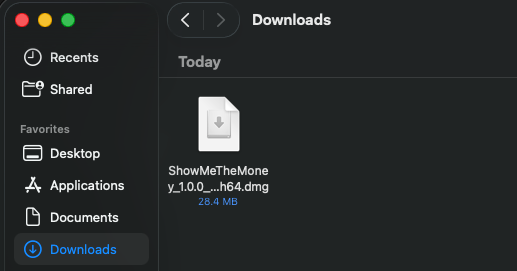
In your Downloads folder, double-click ShowMeTheMoney_1.0.3_aarch64.dmg.
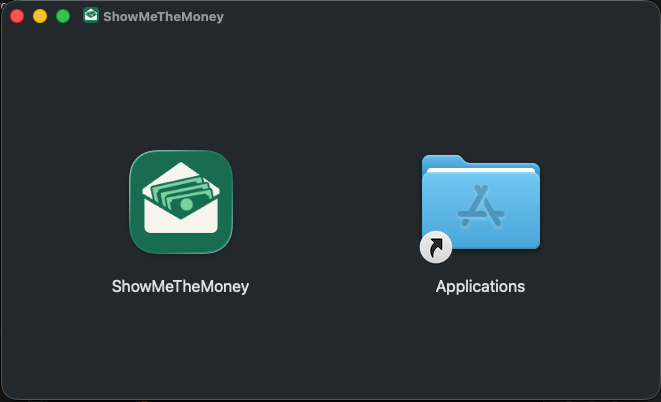
A window opens. Drag the ShowMeTheMoney icon onto the Applications folder beside it.
-
Open ShowMeTheMoney
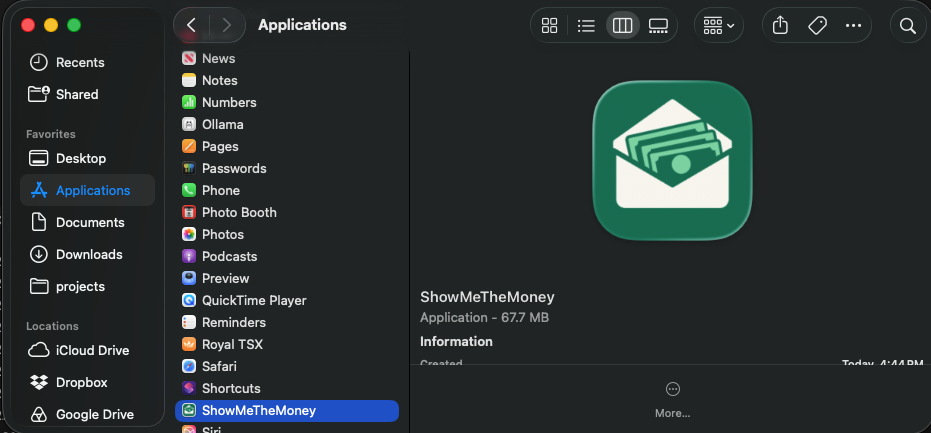
In Finder, open Applications and double-click ShowMeTheMoney.
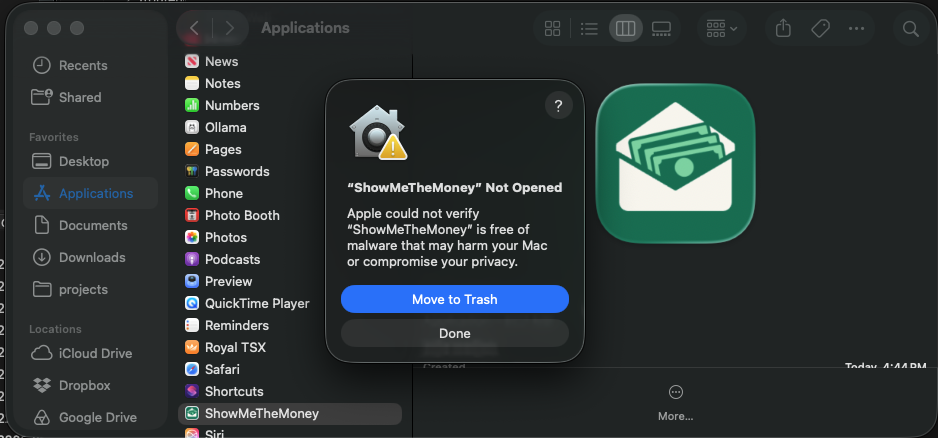
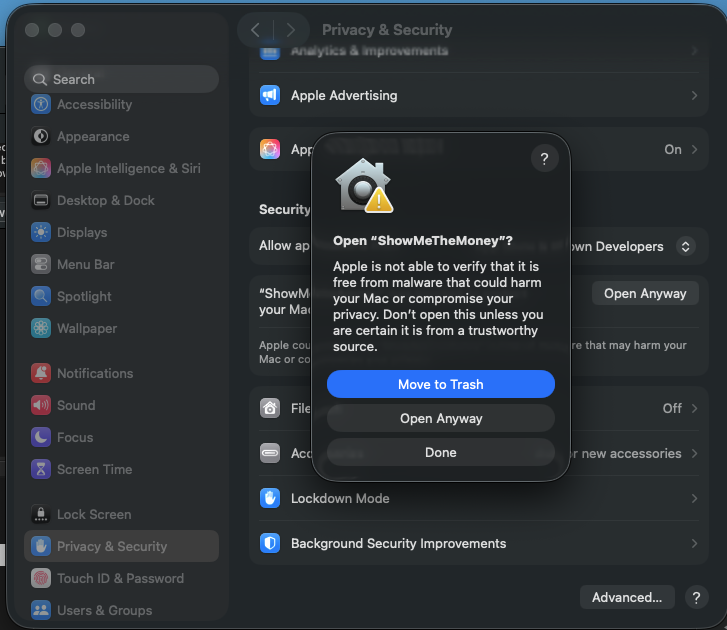
macOS says it can't verify the app. Click Done. Don't choose Move to Trash.
-
Allow it in System Settings
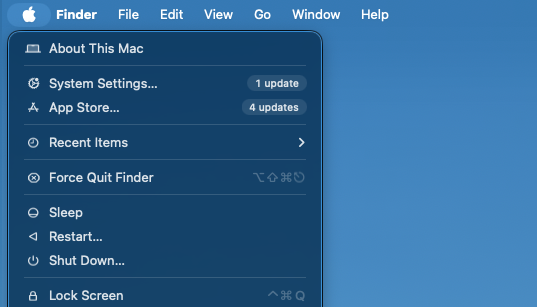
Click the Apple menu at the top left of the screen and choose System Settings….
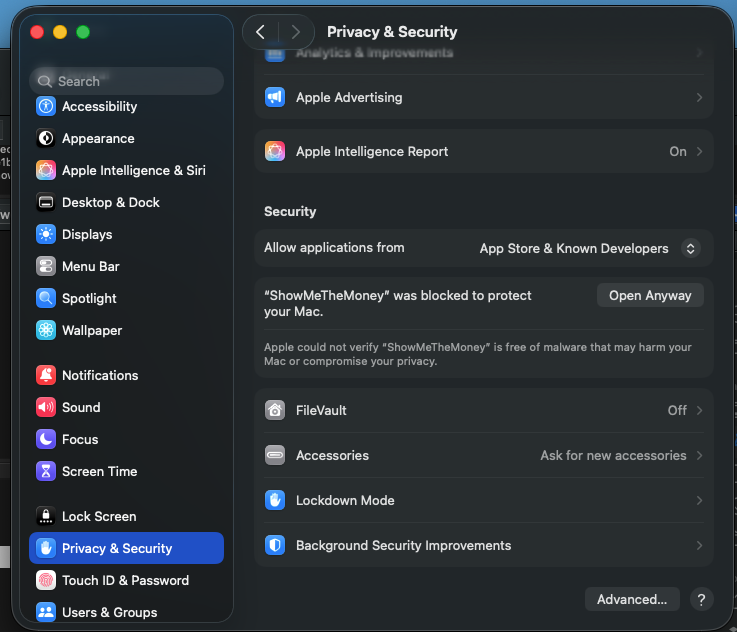
Choose Privacy & Security in the sidebar and scroll down to Security, where it says ShowMeTheMoney was blocked. Click Open Anyway.
-
Confirm
macOS asks once more. Click Open Anyway (the middle button), then enter your Mac's password or use Touch ID. ShowMeTheMoney opens, and from now on it opens like any other app.
-
Start your free trial
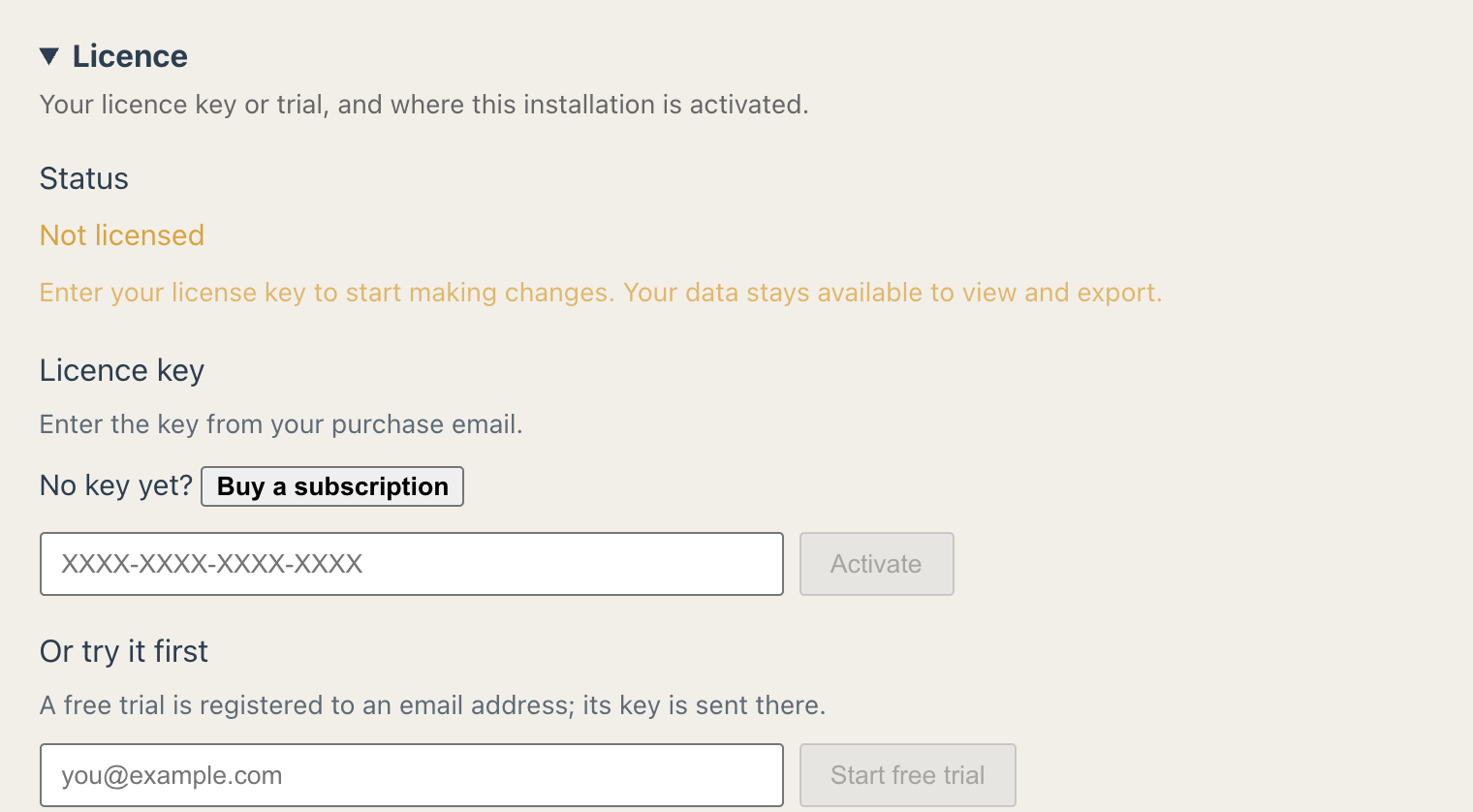
In ShowMeTheMoney, open Settings › Licence, enter your email under Or try it first and choose Email me a trial key. Paste the key from that email into the key box and choose Start trial: you then have 30 days with every feature. When you subscribe, paste the key we email you into the same place.


Updates install from inside the app; you won't need to do this again. Using an Intel Mac? A version for it is coming. Need help?