
Install on Windows
Your download is starting
ShowMeTheMoney 1.0.3 for Windows 10 and 11 (64-bit). If it doesn't start in a few seconds, download it here.
ShowMeTheMoney is new and not yet signed with a paid code-signing certificate, so Windows doesn't recognise it yet and asks you to confirm before it runs. It takes a few seconds.
-
Keep the download
When the download finishes, open it from your browser's downloads. If your browser says the file isn't commonly downloaded, choose Keep (in Edge: ⋯ › Keep, then Show more › Keep anyway).
-
Let it run
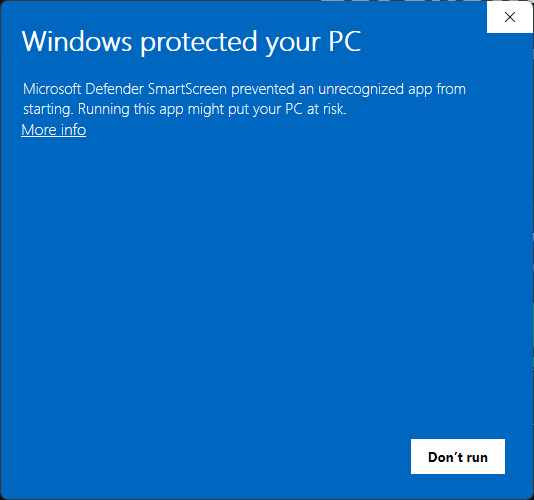
Windows shows Windows protected your PC. Click More info.
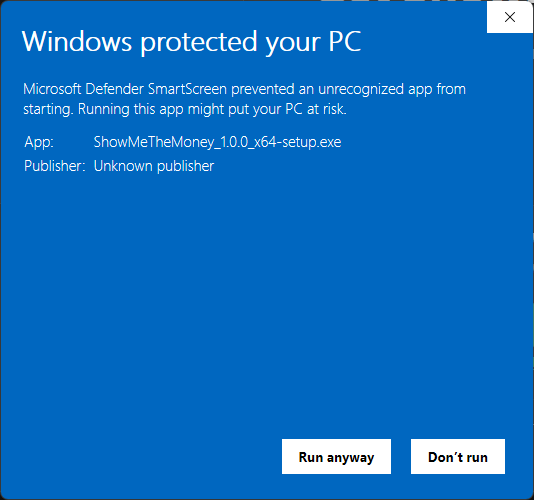
It now names the app as ShowMeTheMoney_1.0.3_x64-setup.exe from an Unknown publisher (because it isn't signed yet). Click Run anyway.
-
Install
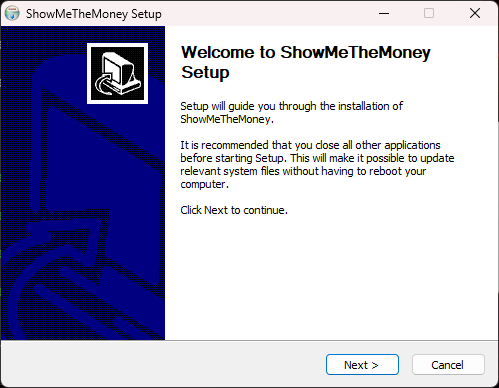
The ShowMeTheMoney Setup window opens. Click Next, and keep clicking through with the suggested choices until it installs. It installs for your Windows account only, so it doesn't ask for an administrator password.
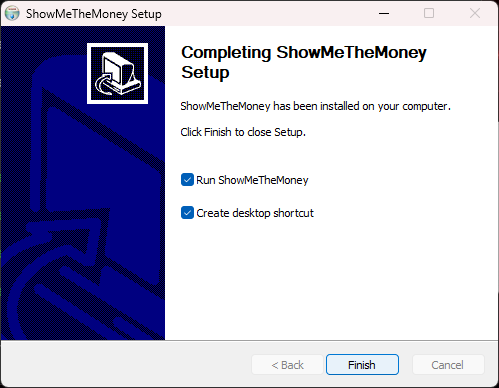
On Completing ShowMeTheMoney Setup, leave Run ShowMeTheMoney ticked (and Create desktop shortcut too, if you'd like one) and click Finish.
-
Open ShowMeTheMoney
It opens straight from the installer. Later, open it from the desktop shortcut or the Start menu: press the Windows key and type ShowMeTheMoney.
-
Start your free trial
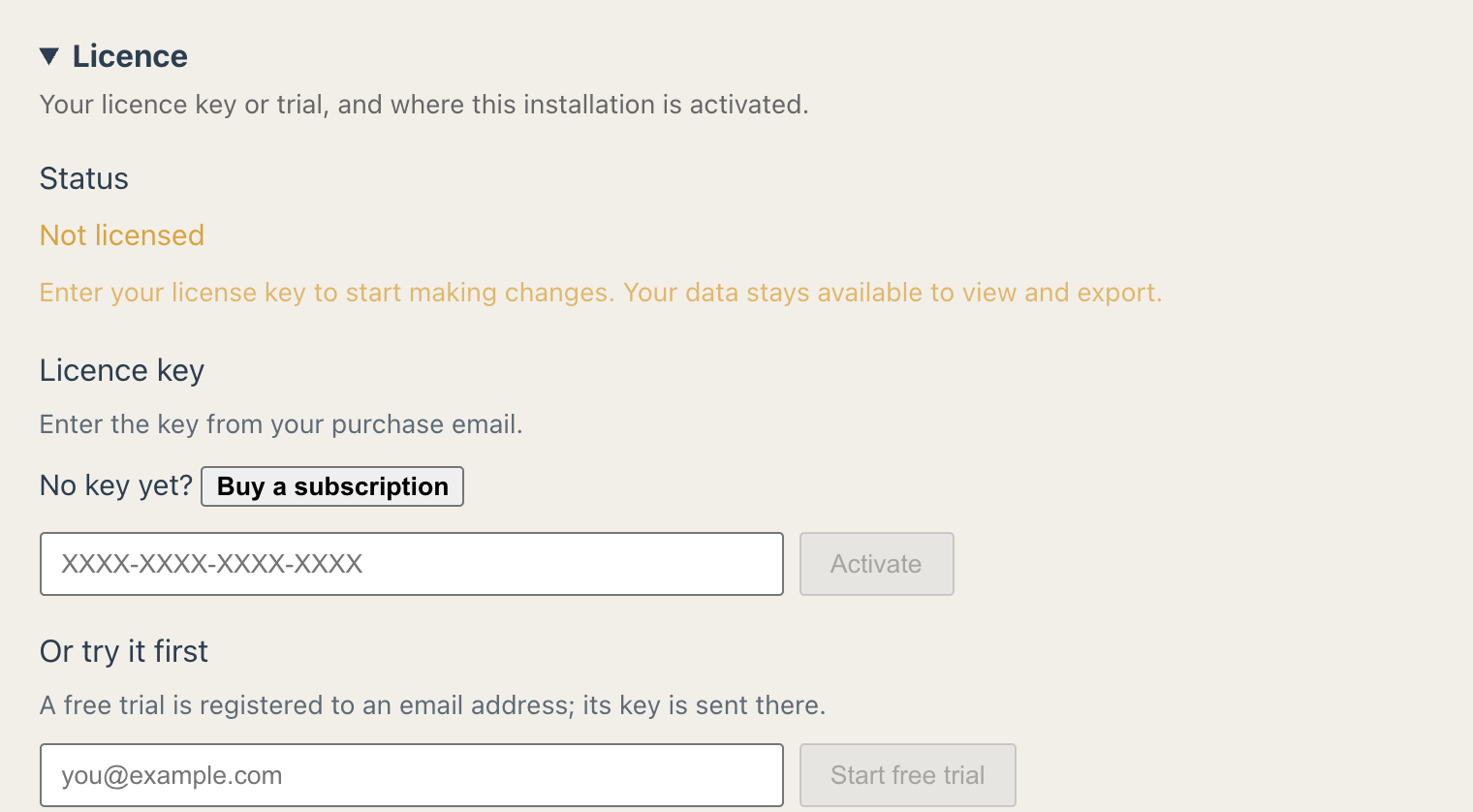
In ShowMeTheMoney, open Settings › Licence, enter your email under Or try it first and choose Email me a trial key. Paste the key from that email into the key box and choose Start trial: you then have 30 days with every feature. When you subscribe, paste the key we email you into the same place.


Updates install from inside the app; you won't need to do this again. Managing computers for an organisation? Use the MSI installer instead. Need help?